

Key Takeaways
The Hidden Cost of 'Off'
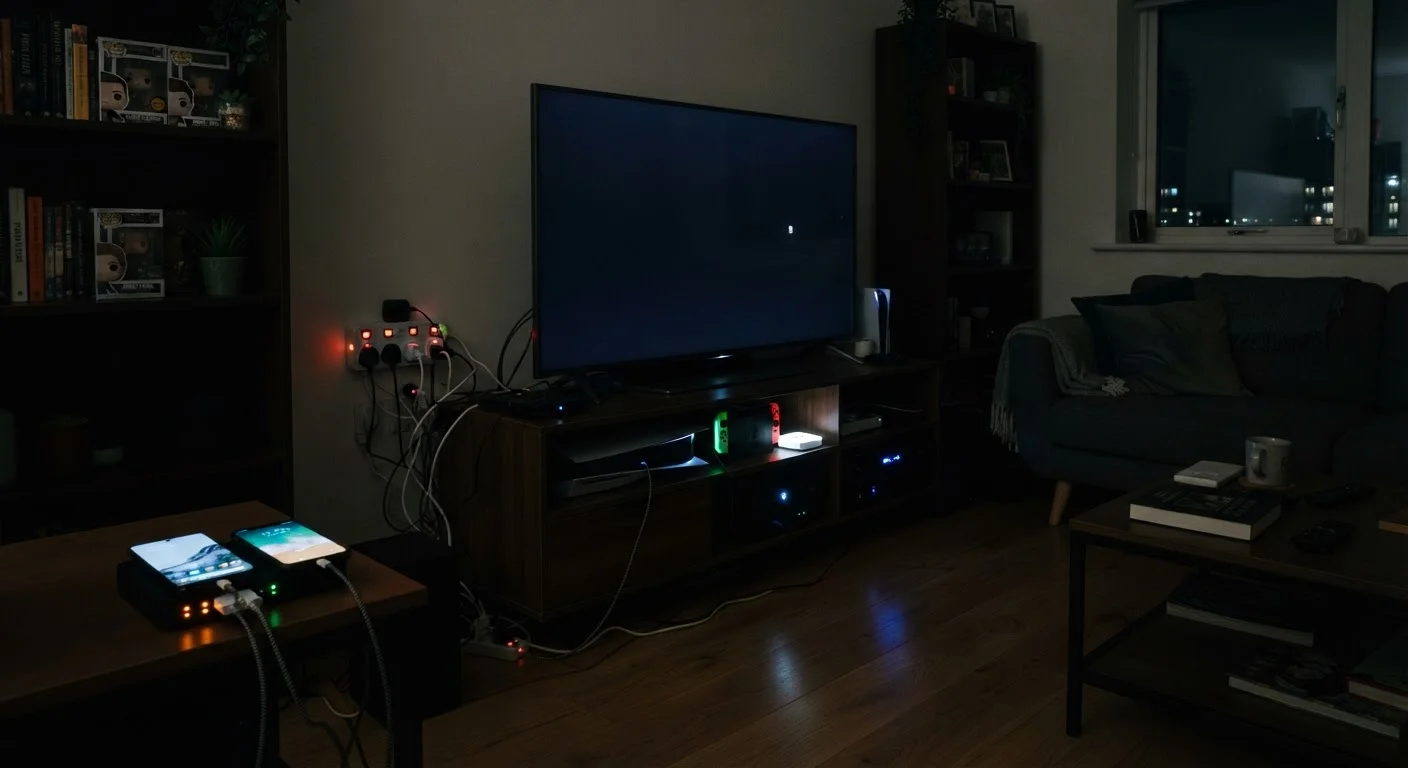
Most people assume that turning a device off ends its energy draw. That assumption costs American households real money every year. The reality is that a large share of home electronics never fully power down - they sit in standby mode, maintain network connections, or keep internal clocks and memories running around the clock. The U.S. Department of Energy has estimated that standby power consumption, sometimes called "vampire draw" or phantom load, can account for roughly 5-10% of residential electricity use.
What makes this particularly frustrating is that the devices responsible are rarely the ones you'd expect. It's not just the television or the desktop computer. It's the power brick on a laptop you unplugged two hours ago, the cable box that never truly sleeps, the smart speaker waiting for a wake word. Understanding where the draw actually comes from is the first step toward managing it - and the list below walks through the most common culprits in detail.
For anyone curious about terminology like "standby power" or "power factor," the Home Electronics Glossary covers these concepts in plain language.
Standby mode on entertainment devices
Televisions, gaming consoles, and streaming boxes are among the most persistent standby consumers in the average home. A gaming console in "instant-on" mode - designed to resume quickly - can draw between 70 and 150 watts continuously, depending on the model and settings. Over a year, that single choice can add up to the equivalent of running a full-sized refrigerator for several months.
Switching to an energy-saving or full power-off mode, rather than instant-on, typically reduces this draw to under 1 watt without meaningful impact on day-to-day convenience. The trade-off is a longer boot time - usually under a minute - in exchange for a substantially lower continuous draw.
A console in instant-on mode can draw as much power as a running refrigerator over a year.
Cable boxes and DVRs running 24/7
Cable and satellite set-top boxes are notorious for continuous high draw because they are designed to receive signal updates and record scheduled content at any hour. Unlike most electronics, they often have no meaningful low-power state - they draw nearly as much power when you're asleep as when you're actively watching. Estimates from the Natural Resources Defense Council have placed some DVR units among the highest-consuming devices per household.
If your provider allows it, scheduling boxes to enter a deeper sleep mode during overnight hours is the most practical mitigation. Alternatively, if you've shifted primarily to streaming, evaluating whether a cable box is still necessary at all is a reasonable question to ask.
Cable DVRs often draw near-full power overnight, with no meaningful low-power state available.
Routers and modems left on indefinitely
A home router typically draws between 5 and 20 watts continuously. That may sound modest, but over 8,760 hours per year, it accumulates. More importantly, most households have both a modem and a router running simultaneously, and many have added a mesh network node or two - each with its own continuous draw.
Few people power down networking equipment regularly, partly because reconnection takes time and partly because smart home devices - thermostats, security cameras, connected appliances - depend on a live connection. If your smart home hub requires constant connectivity, fully powering down your router overnight isn't practical. But consolidating to a single efficient unit rather than running multiple redundant devices is a straightforward reduction.
Multiple networking devices running year-round add up to a meaningful baseline draw most households overlook.
Chargers and power bricks left plugged in
A charger left in a wall socket continues to draw a small amount of power even when nothing is connected to it. Individually, the draw is tiny - often less than 0.5 watts per adapter. But a household with eight or ten chargers, adapters, and power bricks scattered across rooms adds these figures together constantly. The more significant draw occurs when a device is fully charged but remains connected: energy continues to flow, dissipating as heat rather than storing in the battery.
For phone charging specifically, the common myths about overnight phone charging article addresses what the actual risks are and how modern devices handle a full charge - the picture is more nuanced than most advice suggests.
Ten idle chargers left plugged in around the house combine into a constant, unnoticed draw.
Poor ventilation forcing harder operation
Electronics generate heat during normal use, and most are designed to throttle performance or increase fan speed to manage internal temperatures. When a device is placed in an enclosed cabinet, stacked on top of other heat-generating equipment, or positioned against a wall with inadequate clearance, it runs hotter than intended. This causes the device to draw more power to maintain performance and, over time, stresses internal components.
This is a placement problem more than a usage problem, which makes it easy to overlook. Moving a router to an open shelf, giving a console breathing room on both sides, or not stacking an amplifier directly beneath a receiver are small physical changes with measurable effects on both energy draw and device longevity.
Devices in cramped, unventilated spaces draw more power and wear out faster than properly placed ones.
Older devices with no efficiency standards
Energy efficiency in consumer electronics has improved substantially over the past decade. An older plasma television, for instance, may draw three to four times as much power as a comparably sized modern LED display for the same viewing experience. Older desktop computers, audio receivers, and even older refrigerators can show similar gaps relative to current models.
This doesn't argue for replacing everything immediately - the energy and resources involved in manufacturing a new device are real costs too. But when a device is already approaching end-of-life, understanding its power consumption relative to a replacement is a legitimate factor in the decision. Checking the wattage on your existing devices using a plug-in energy monitor (available at hardware stores) gives you an actual number rather than an estimate.
An older plasma TV can consume three to four times more power than a modern LED equivalent.
What You Can Actually Do About It
Awareness is useful only when paired with action. The good news is that reducing phantom load doesn't require replacing all your devices or building a spreadsheet. A few targeted habit changes - clustering devices on smart power strips, adjusting sleep settings, and being deliberate about what stays plugged in overnight - can make a measurable difference over a billing cycle.
Smart Power Strips: A Practical Starting Point
Smart power strips can detect when a primary device (like a TV) powers down and automatically cut power to peripherals (soundbar, console, streaming stick) connected to the same strip. This eliminates standby draw from an entire entertainment cluster without requiring manual unplugging. They're a low-effort, one-time setup that addresses multiple devices at once.
Device longevity and energy efficiency are also linked. Running electronics in poorly ventilated spaces forces them to work harder and run hotter, which both raises energy use and shortens the product's life. The guide to extending your electronics' lifespan covers storage, airflow, and usage habits that address both concerns simultaneously.
If you're weighing larger energy decisions - like whether switching to an electric vehicle changes your home electricity picture - the long-term cost breakdown of EVs vs. gas vehicles provides relevant context on home charging load.