

Key Takeaways
What a Declarations Page Actually Is
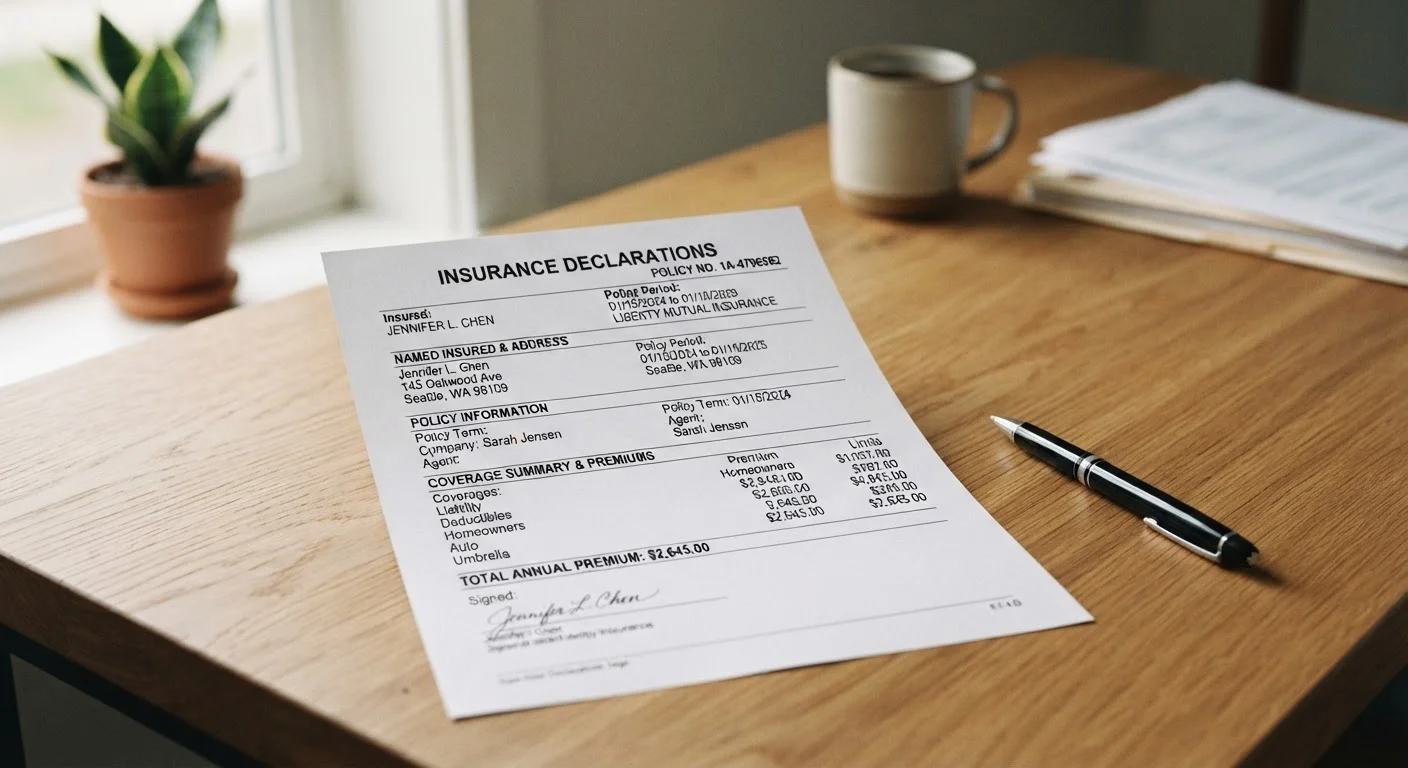
When your insurer issues or renews a policy, the first page - or first two pages - you receive is called the declarations page, often shortened to the dec page. Think of it as the executive summary of your entire contract: it does not contain the policy's full legal language, but it does capture every number and name that defines your core coverage.
The dec page typically appears at the front of a policy packet. Everything behind it - the insuring agreement, exclusions, conditions, and endorsements - provides the legal detail that supports those numbers. Reading the full policy is worthwhile, and our guide to the key sections of an insurance policy walks you through that larger document. But the dec page is always your starting point.
What you will need
Step-by-Step: Reviewing Your Declarations Page
Follow these steps each time you receive a new or renewed declarations page. The process takes under 20 minutes and can save you significant financial exposure later.
Locate and identify the document
Find the page labeled Declarations, Policy Declarations, or Dec Page at the front of your policy packet or in your insurer's digital portal. Confirm it belongs to the current policy term by checking the effective date and expiration date printed near the top.
Verify the named insured and insured address
The named insured is the person or entity the policy legally protects. Confirm the spelling matches your legal name exactly, and that any additional insureds - a spouse, co-owner, or lienholder - are listed as required. Also confirm the insured property address or vehicle information is accurate.
Record your coverage limits and deductibles
Coverage limits define the maximum your insurer will pay for a covered loss. The deductible is the amount you pay out of pocket before insurance applies. Write down both figures for each coverage type listed - dwelling, liability, personal property, medical payments, and so on - so you have a clear reference before a claim arises.
Check the premium and payment schedule
Your dec page lists the total annual premium - the cost of your coverage for the policy term - along with any installment fees if you pay monthly. Compare this figure against your most recent billing statement to ensure they match. Unexpected premium increases should be explained in an accompanying notice from your insurer.
Review listed endorsements and riders
Endorsements (also called riders) modify your base policy - they can add, remove, or restrict coverage. Your dec page will typically list endorsement numbers or brief descriptions. Cross-reference each one against your policy documents to understand what changes they make. Missing an endorsement that removes a coverage you expected can be costly.
Your Dec Page Is a Summary, Not a Contract
The declarations page does not contain your full policy terms, exclusions, or conditions - those live in the policy booklet behind it. Never assume a loss is covered based solely on what appears on the dec page. If you are uncertain whether something is covered, read the relevant policy section or ask your licensed agent directly.
Numbers That Deserve Extra Scrutiny
Two figures on the dec page trip up readers more than any others: coverage limits and sub-limits. Your main dwelling or liability limit is the headline number, but sub-limits - lower caps that apply to specific categories like jewelry, electronics, or detached structures - can be far smaller. If those sub-limits do not reflect the actual value of what you own, you may be underinsured without realizing it.
For a deeper look at how these numbers interact, see our article on policy limits, sub-limits, and coverage gaps. Understanding them before you ever file is far easier than discovering a gap mid-claim. Our guide to filing an insurance claim covers what to expect once that stage arrives.
Set a Calendar Reminder at Renewal
Most policies renew automatically, and the updated declarations page arrives with little fanfare. Set a reminder to review your new dec page within the first week of each renewal period. Catching a dropped endorsement or an increased deductible early gives you time to address it before you need to file a claim.
After Your Review: What to Do If Something Looks Wrong
If any detail on your declarations page is incorrect - a misspelled name, a wrong address, a coverage limit you did not agree to - contact your insurer or agent promptly in writing. Errors on dec pages are more common than most policyholders expect, and insurers can usually issue a corrected page, called an endorsement or rider, without requiring a full policy rewrite.
If you are reviewing a policy before signing rather than after receiving it, use our pre-signing checklist to ensure coverage limits, exclusions, and deductibles align with what you were quoted. And remember: terms, coverage details, and exclusions vary by provider and state, so always read your actual policy documents and consult a licensed insurance agent for guidance specific to your situation.
This article is for general informational and educational purposes only and does not constitute personalized insurance, financial, or legal advice. Coverage, eligibility, and policy terms vary by provider, product, and state. Consult a licensed insurance professional before making decisions about your coverage.