
Refresh Rate, Resolution, and Response Time: How TV Specs Translate to Real Viewing

Key Takeaways
TV Display Specifications
TV display specifications are the technical measurements manufacturers use to describe a television's picture performance - including how many times the screen redraws per second (refresh rate), how many pixels it contains (resolution), and how quickly individual pixels can change color (response time). These numbers appear on spec sheets and packaging, but their real-world impact on what you actually see varies considerably. Some specs deliver noticeable improvements; others are heavily influenced by marketing language.
Many published specs - particularly refresh rate and response time - are measured under controlled or idealized conditions that don't fully reflect everyday viewing environments or content delivery limitations.
Why TV Specs Can Be Misleading
Walk into any electronics retailer or browse a TV listing online and you'll see a cascade of impressive numbers: 240Hz, 4K Ultra HD, 1ms response time. These figures are real measurements - but they're often presented in ways that obscure as much as they reveal. Understanding what each spec actually measures, and how manufacturers sometimes stretch the truth around it, is the first step to cutting through the noise.
Much like reading a nutrition label, the skill isn't just knowing what the numbers mean - it's knowing which ones actually affect your experience. For a parallel example of separating signal from marketing in a different consumer context, see our guide to reading ingredient lists.
When Specs Are Measured Under Ideal Conditions
Many TV specifications - particularly response time and effective refresh rate - are measured by manufacturers in controlled laboratory settings that don't replicate typical home viewing. This doesn't mean the specs are fabricated, but it does mean real-world performance can differ from the published figure. Independent reviews and display testing organizations provide measurements under standardized, comparable conditions, which can give you a more reliable picture than spec sheets alone.
Refresh Rate: Native vs. Effective
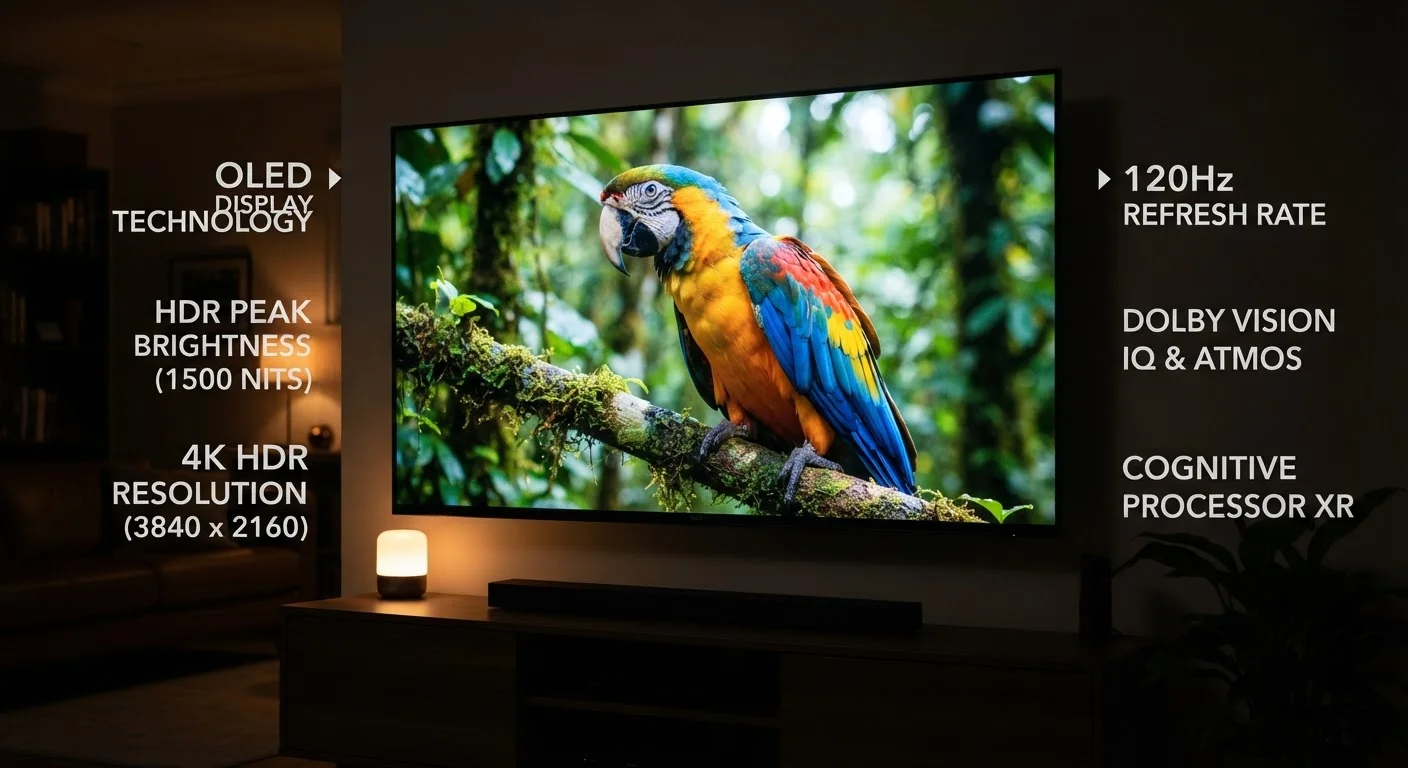
Refresh rate is measured in hertz (Hz) and tells you how many times per second the screen redraws the image. A 60Hz panel redraws 60 times per second; a 120Hz panel redraws 120 times. Higher refresh rates produce smoother motion - which is genuinely noticeable in fast-paced content like live sports, action films, and video games.
The confusion arises from effective or interpolated refresh rates. Many televisions advertise 240Hz or higher figures that are achieved through motion interpolation - a software process that generates artificial frames between real ones. The underlying panel might still be 60Hz or 120Hz. The spec that matters is the native refresh rate, which is the hardware's actual capability.
For gaming specifically, a native 120Hz panel with a low input lag is a meaningful upgrade. For a nightly news viewer, the difference between 60Hz and 120Hz is barely perceptible.
120Hz
Native refresh rate where motion benefits become clearly visible
Display industry benchmarks generally place meaningful motion improvement at 120Hz native for fast-action content such as sports and gaming.
~8x
More pixels in 4K vs. standard HD (1080p)
4K Ultra HD contains approximately 8.3 million pixels compared to roughly 2 million in 1080p Full HD, though real-world sharpness depends on source content and viewing distance.
15-25 Mbps
Recommended internet speed for stable 4K streaming
Most major streaming platforms recommend at least 15-25 Mbps of sustained bandwidth to deliver 4K content without quality drops or buffering.
Resolution: Pixels and Real-World Content
Resolution describes how many pixels a screen contains. Common standards today are 1080p (Full HD, roughly 2 million pixels) and 4K Ultra HD (about 8 million pixels). More pixels means finer detail - but only when the source content actually contains that detail.
A 4K television displaying a 1080p cable broadcast doesn't show you 4K detail; it upscales the image, which improves appearance somewhat but doesn't add genuine resolution. To see true 4K, you need a 4K source - a compatible streaming tier with sufficient bandwidth, a 4K Blu-ray disc, or a 4K-capable gaming console.
Viewing distance also matters. At a typical living room distance of 8-10 feet, a 65-inch 4K display delivers visibly sharper images than 1080p. On a 32-inch screen at the same distance, the difference is far less obvious. Resolution is a real spec - but its benefit depends heavily on context.
Response Time: What It Means for Motion
Response time measures how quickly an individual pixel can change from one color to another, expressed in milliseconds (ms). Faster response times reduce motion blur - the slight smearing effect you might notice around fast-moving objects. This matters most for gaming, where rapid on-screen movement is constant.
The catch: manufacturers measure response time under idealized conditions, and different brands use different measurement methods (grey-to-grey, black-to-white, etc.), making direct comparisons unreliable. A published 1ms figure from one brand and a 5ms figure from another may perform similarly in real use.
For standard TV viewing - streaming shows, movies, broadcast TV - response times under 15ms are generally imperceptible as blur. Competitive gamers should look for independently tested input lag measurements rather than relying solely on the published response time figure. Once you have the right specs in mind, setting up your new TV correctly ensures those hardware capabilities are actually realized on screen.
Look for Native Refresh Rate, Not Effective Rate
When comparing televisions, ask or search specifically for the 'native refresh rate' rather than the marketed effective rate. A panel labeled as '240Hz effective' may have a native rate of 60Hz or 120Hz - a meaningful difference for gaming and sports viewing. Manufacturer product pages and independent review sites typically disclose the native figure separately from the marketed number.
Matching Specs to Your Actual Use Case
The most practical approach is to match specs to your primary use. Casual streamers and general viewers benefit most from a quality panel with accurate colors and good contrast - qualities linked more to display technology than raw Hz or pixel numbers. Sports fans and gamers gain real value from a native 120Hz panel. Anyone investing in a 4K television should also verify that their streaming plan, internet connection, and any attached devices actually support 4K delivery.
Panel type - whether a TV uses OLED, QLED, or standard LED - shapes picture quality in ways that can outweigh a modest resolution or refresh rate difference. Understanding the differences between panel types is a useful companion to this spec breakdown, since contrast and color accuracy are often more visible than an extra 60Hz.
This article is for general informational purposes only. TV performance can vary by model, content source, and viewing environment. Specifications are subject to change by manufacturers.