

Key Takeaways
Option A
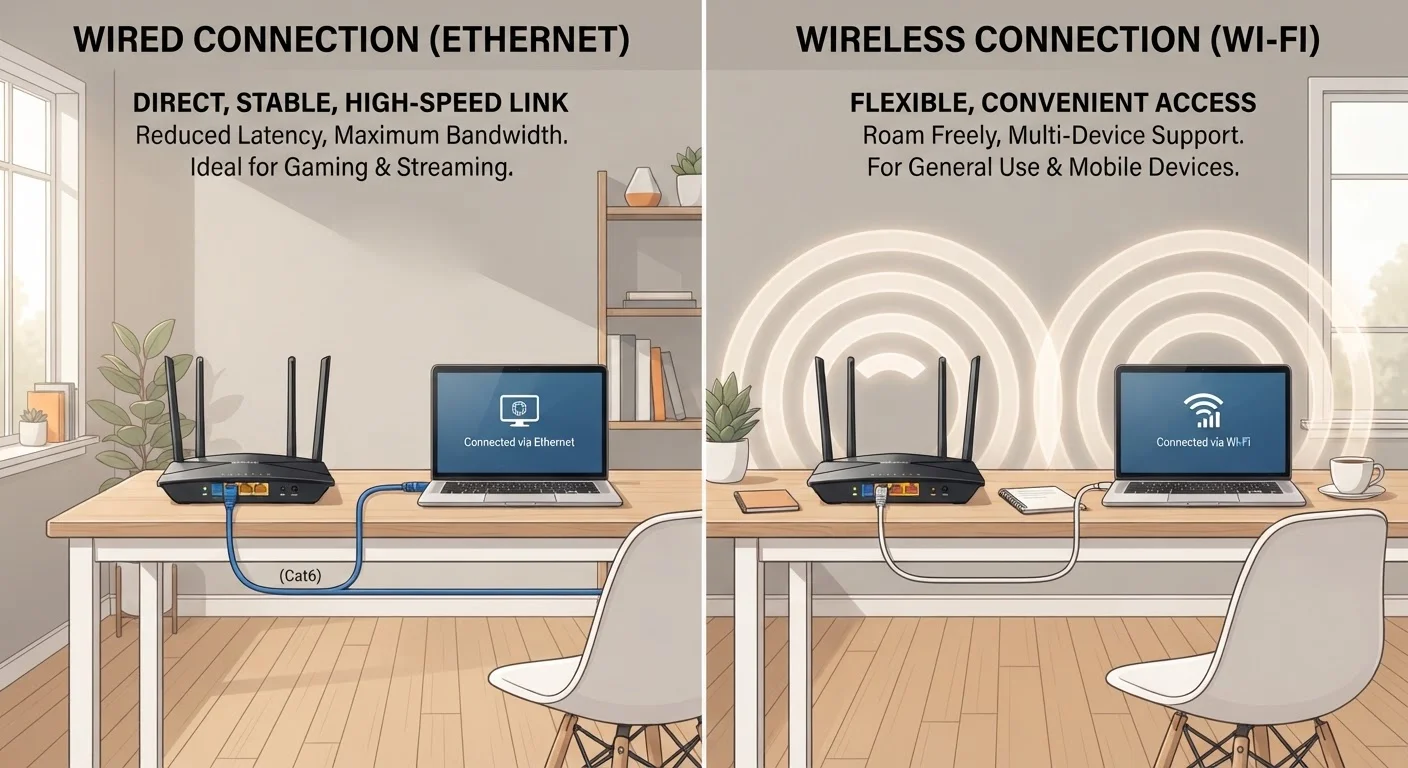
Wired Ethernet
The dependable, high-performance backbone of home networking.
Best for: Stationary devices that demand consistent speeds and minimal latency, such as desktop computers, gaming consoles, and smart TVs.
Option B
Wi-Fi (Wireless)
The flexible, cable-free solution for modern multi-device households.
Best for: Mobile devices and situations where running physical cables isn't practical or desirable.
If you work from home and rely on video conferencing or large file transfers
Wired Ethernet
A direct Ethernet connection eliminates the packet loss and latency spikes that can interrupt calls or slow uploads, even when other household members are streaming simultaneously.
If your household runs smartphones, tablets, and laptops that move room to room
Wi-Fi (Wireless)
Wireless connectivity is the only practical option for portable devices, and modern Wi-Fi standards deliver speeds more than sufficient for everyday browsing, streaming, and video calls.
If you're a serious online gamer or run a home media server
Wired Ethernet
Gaming and server workloads are sensitive to latency and jitter - two metrics where Ethernet holds a clear, consistent advantage over Wi-Fi in real-world conditions.
If you rent your home or can't run cables through walls
Wi-Fi (Wireless)
Wireless removes the installation barrier entirely; pairing a capable router with a mesh node or range extender can address most coverage gaps without any permanent modifications.
If you want the most reliable setup for a mix of stationary and mobile devices
Wired Ethernet
Connecting high-demand stationary devices via Ethernet frees up wireless bandwidth for mobile devices, improving performance across the whole household network.
Speed and Throughput: Closer Than You'd Think
For most of home networking's history, Ethernet had a commanding speed advantage. That gap has narrowed considerably. Consumer Ethernet ports commonly run at 1 Gbps (gigabit), while modern Wi-Fi 6 routers advertise multi-gigabit theoretical maximums - though real-world wireless throughput is always lower than the spec sheet suggests due to overhead, interference, and signal attenuation.
In practical terms, a well-positioned Wi-Fi 6 device in the same room as the router can achieve download speeds that outrun most Americans' internet service plans. The speed difference only becomes meaningful in two scenarios: transferring large files between devices on your local network (not the internet), or when you're far from the router or dealing with a congested wireless environment.
For context on what newer wireless standards actually deliver in a home setting, see our Wi-Fi 6 and 6E breakdown.
| Criterion | Wired Ethernet | Wi-Fi (Wireless) |
|---|---|---|
| Typical real-world speed | Up to 1 Gbps (standard ports) | Varies; up to ~600-900 Mbps (Wi-Fi 6, ideal conditions) |
| Latency consistency | Very stable, rarely spikes | Generally good; can spike under congestion |
| Interference risk | None | Moderate to high in dense environments |
| Setup complexity | High - requires cable runs | Low - plug in and connect |
| Device mobility | None - tethered to port location | Full - works anywhere in range |
| Upfront hardware cost | Low to moderate (cable + switch) | Low to moderate (router) |
| Coverage flexibility | Limited to cable endpoints | Expandable with mesh nodes or extenders |
Reliability and Latency: Where Wired Still Wins
Speed is one metric; reliability is another. Ethernet's defining advantage isn't raw throughput - it's consistency. A wired connection doesn't compete for radio spectrum with neighboring networks, doesn't lose signal strength through drywall, and doesn't degrade when the microwave runs.
Latency - the delay between sending a request and receiving a response - stays low and steady over Ethernet. Wi-Fi latency is generally acceptable for most tasks, but it can spike unpredictably in dense apartment buildings where dozens of networks share the same radio channels. For gaming, real-time audio, or video calls that require tight synchronization, those spikes are noticeable.
~1-5 ms
Typical Ethernet round-trip latency
Wired connections commonly achieve latency in this range under normal home network conditions, according to general networking benchmarks.
~10-40 ms
Typical Wi-Fi round-trip latency
Wireless latency varies significantly based on router quality, signal strength, and radio channel congestion in the surrounding area.
30%+
Wi-Fi throughput loss through one interior wall
Signal attenuation through common building materials like drywall and wood can reduce wireless throughput by roughly 30% or more, per general RF engineering guidance.
Wireless coverage is a separate reliability concern. A single router can't blanket every corner of a large or multi-story home equally. If you've dealt with dead zones, our guide to mesh Wi-Fi networks explains how whole-home wireless systems address the problem - and where they fall short.
Setup, Cost, and Flexibility
Wi-Fi wins on setup simplicity, and it's not close. Plug in a router, connect your modem, and every wireless-capable device in your home can join the network within minutes. No drilling, no cable management, no planning runs through walls or under floors.
Ethernet requires more upfront effort. Running cables neatly through a finished home often means routing along baseboards or through crawlspaces, purchasing a network switch if you need multiple wired ports in one room, and crimping or purchasing pre-made patch cables. In new construction or unfinished spaces, the work is far easier - but retrofitting an older home can be genuinely disruptive.
Cost differences are modest at the component level: Ethernet cable is inexpensive, and a basic unmanaged switch costs little. The real cost is labor, whether you hire someone or invest your own time. Some households opt for powerline adapters or MoCA adapters as a middle-ground - these use existing electrical or coaxial wiring to carry a network signal, avoiding new cable runs while delivering more stable performance than Wi-Fi.
Powerline and MoCA: A Middle-Ground Option
If running new Ethernet cable isn't feasible, powerline adapters and MoCA (Multimedia over Coax Alliance) adapters offer an alternative. Powerline adapters send network data through your home's existing electrical wiring, while MoCA adapters use coaxial cable - the same type used for cable TV. Both typically outperform Wi-Fi for stability and latency without requiring new cable installations, though performance depends on the quality of your existing wiring.
Which Approach Fits Your Household?
The honest answer for most households is both. A hybrid network - Ethernet for stationary, high-demand devices and Wi-Fi for everything mobile - captures the core strengths of each approach. Your router or a network switch provides the wired backbone, while the wireless side handles phones, tablets, and anything else that moves.
Start by identifying which devices genuinely need the most reliable, lowest-latency connection: desktop workstations, smart TVs used for 4K streaming, gaming consoles, and network-attached storage are the usual candidates. If those devices are near your router or you're willing to run a cable, wired connections make sense. Everything else - and likely the majority of your device count - is fine on Wi-Fi.
If your smart home setup is growing, it's also worth considering how your network infrastructure interacts with hubs and controllers. Our look at smart home hub trade-offs covers how centralized control can introduce its own networking dependencies.
This article provides general technology information to help consumers understand their options. It is not professional installation advice. If you're uncertain about running cables safely through your home, consult a qualified electrician or network installer.